Claude and ChatGPT for DBAs: what to hand over to AI
Claude and ChatGPT help DBAs write and explain SQL, read execution plans, and prepare scripts and documentation. What to hand over to AI, what to keep, and the rules that make it work.
A DBA can let Claude and ChatGPT write the first draft of a lot of work. The DBA can ask AI to write and explain SQL queries, read an execution plan, prepare a patch or upgrade script and put the documentation in order. The decisions stay with the DBA, along with anything that touches production. AI suggests. The DBA checks, tests on a copy and decides. It works when a few rules are written down and agreed before you start.
The DBA (database administrator) looks after the database, the store where the ERP (the company’s business management software) writes and reads every piece of data. The examples in this guide use Oracle. The rules apply to any database.
What is worth handing over to AI?
The best candidates are jobs where a first version saves time and can be checked before anyone uses it. Almost all of them are writing jobs.
| Job | What the AI does | What stays with the DBA |
|---|---|---|
| New SQL queries | Writes a first version from the table structure | Checking the result on a copy against a known figure |
| Inherited queries and code | Explains them line by line | Checking that the code really does what the AI says |
| Execution plans | Points to a missing index or a poorly chosen data access path | Measuring before and after, with the tools covered by your licences |
| Patch, upgrade and migration scripts | Prepares a draft script and the list of checks | Reviewing it line by line, testing it on a copy, preparing the way back |
| Database security | Helps read permissions and logs, and prepares the fixes | Deciding which privileges to remove and when to apply the fixes |
| Documentation | Turns notes and configurations into readable procedures | Checking they are accurate and keeping them up to date |
In every row, what the AI does is only a suggestion. It is used once the DBA has checked it.
How do you use it to write and explain queries?
To write a query, the assistant only needs the table structure, meaning table names, columns, keys and indexes. It does not need the data. You describe in plain language what you want, and the assistant suggests the SQL.
The weak point is what the data means. The assistant does not know, for example, that credit notes sit in a different table. It does not know that inactive customers stay in the archive, or that an empty column means “no discount”. It can write a query that is correct in form and wrong in substance, with figures that look plausible.
That is why the result is checked on a copy against a known figure. It could be the invoice total for a month that is already closed, a figure the accounts team knows. If the two figures do not match, the query is not used.
The assistant is useful for explaining, too. Many databases hold queries and internal code written years ago by people who now do other jobs. The assistant explains them line by line. The explanation still needs checking, though, by testing the code on a copy.
How does it help with execution plans and tuning?
An execution plan shows how the database reads the data to answer a query. It is often long and hard to read. The assistant helps you understand it, spot a missing index or a poorly chosen data access path, and review code that runs inside the database.
There are two things to watch out for. The first is side effects. An index that speeds up a report can slow down the people entering orders and invoices in the ERP. That is why every change is measured before and after, and tested on a copy before production.
The second is about licences. The assistant does not know which licences your company holds, and it may suggest a diagnostic tool that belongs to a paid option. In Oracle, some paid features are enabled as soon as the database is installed. Using them, even unknowingly, is enough for a licence audit to pick them up. In Enterprise Edition, for example, the CONTROL_MANAGEMENT_PACK_ACCESS parameter is set to DIAGNOSTIC+TUNING by default. You work only with the tools your licence covers, and the database is configured to match the licences you actually hold. The other cost items to check are explained in our section on where an Oracle database costs more than it should.
What changes for patch and upgrade scripts?
With scripts, AI saves a lot of writing time. A mistake is expensive, though, because the script changes the database.
The assistant prepares a draft of the script, the list of steps and the checks to run before and after. The DBA reviews it line by line. Then the DBA tests it on a copy, before the window agreed with the people who use the ERP. The way back to the original system is prepared and tested before the switch, not during it.
Patches follow a public calendar, so the draft can be prepared in good time. Oracle releases its cumulative fixes on the third Tuesday of January, April, July and October. Since May 2026 it has also released targeted security fixes in the other months. The next quarterly patch is due on 19 January 2027.
There is one limit to keep in mind. The assistant may have out-of-date information about versions and suggest steps that no longer apply. 23ai, for example, became 26ai with the October 2025 update. That is why the reference points remain Oracle’s own documentation and your ERP vendor’s.
Moving from 19c to 26ai calls for two extra checks. First, you confirm that your ERP vendor supports the new version. Then you look at how the database is organised, because 26ai needs a different organisation. Where needed, the conversion goes into the plan. The decisions and the timetable for the move are in our article on upgrading the Oracle database.
What about documentation?
It is often the job that gets left behind. The assistant helps write backup and restore procedures, describe the environment and prepare a template for the test reports. From scattered notes it produces an orderly text that a colleague can follow. That way, knowledge of the environment does not stay in one person’s head.
A written procedure does not replace the test, though. The restore test is carried out for real, on a schedule, and ends in a written report. The report says how long it takes to get running again and up to what point the data can be recovered.
One last caution concerns configurations. They often contain server addresses and account names, and they are not passed to a tool that the organisation has not approved.
What should you not hand over to AI?
- Changes in production. The AI has no accounts that can write to the live database, and no administrator accounts. It prepares the scripts. A person runs them, in the agreed window, with a verified backup and a planned way back.
- Credentials and real data. Passwords, connection strings, server addresses and data extracts are never pasted into a tool that the organisation has not approved. The AI only needs the table structure and test data.
- Judging the result. The assistant does not know what your company’s data means, what exceptions there are or how much load a query puts on the live database.
- Licensing choices. Which options to use is decided by whoever knows the contract, not by the assistant.
- Emergencies. With the database down or the data damaged, nobody should improvise repairs, even if the assistant suggests a convincing one. First you save the error messages and secure the current state. AI can help you read the errors, but no command runs without a backup.
- The decision to go ahead or turn back. The criteria are written into the plan, before the window. On the day of the switch, a person decides.
Which rules do you need?
There are only a few rules, and they are written down before you start. They apply when the DBA uses the assistant to write and when the assistant reads the data.
- Read-only. When the AI accesses the data, it reads it and cannot change it.
- Dedicated accounts. The assistant has its own account, with its access logged, and it can reach only the tables or views it needs. It never uses the DBA’s account or an administrator account.
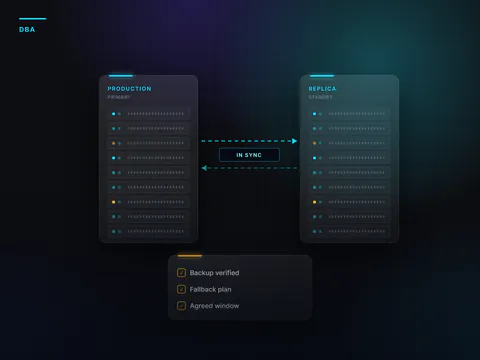
- An in-sync copy. Where needed, the assistant works on an always-in-sync copy instead of the live database. That way it does not slow anyone down. In Oracle Enterprise Edition this copy is a paid option, and it has to be budgeted for.
- The query stays visible. Every answer about the data shows the query that produced it. Whoever receives the answer can have the query checked.
- Review and test before use. Every query and every script is reviewed and tested on a copy. It goes into production only in the agreed window.
- No credentials or real data in unapproved tools. You use the tool the organisation has approved. The personal and business versions have different terms on how your data is used.
It makes sense to start with low-risk jobs, such as documentation and explaining inherited code. Then you move on to scripts, always tested on the copy.
An example: removing excess privileges
Example. It does not describe a real case.
A DBA wants to tidy up the accounts on the ERP database. The DBA suspects that some of them have more privileges than they need, and that one account is shared by a whole department.
- The request. The DBA uses the assistant the company has approved. The DBA describes what to look for, namely the accounts with their roles and privileges. No personal names, passwords or server addresses are pasted in.
- The query. The assistant suggests a query that lists the accounts and their privileges. The DBA reads it and runs it on a copy of the database.
- The result. Three application accounts have administrator privileges. One account is used by several people.
- The script. The assistant prepares the script that removes the excess privileges and a second one that restores them, as the way back. The DBA reviews both line by line.
- The test. On the copy, the overnight stock job stops. It relied on one of the privileges that had been removed, and the assistant had no way of knowing. That account keeps only the privilege it really needs, and the test is run again.
- Production. The corrected script goes into production in the agreed window, with a verified backup and the way-back script ready. The shared account is replaced by named accounts, so every access has a name attached to it.
The assistant wrote the query and the scripts in minutes. The test on the copy is what caught the mistake.
In brief
- Claude and ChatGPT help DBAs write and explain SQL, read execution plans, and prepare scripts and documentation.
- AI suggests. The DBA checks, tests on a copy and decides.
- The AI only needs the table structure. Credentials and real data never go into unapproved tools.
- Every performance change is measured before and after, with the tools your licences cover.
- Changes in production, emergencies and the decision to turn back stay with people.
- When the AI reads the data, it does so read-only, through dedicated accounts, on an in-sync copy and with the query visible.
Frequently asked questions
Can you give the AI the table structure?
Usually yes, with the tool the organisation has approved. Table and column names help the assistant write a correct query. The data does not. If a name itself reveals something confidential, such as a customer or a project, it is replaced with a test name.
Does the assistant need its own account?
Yes, if the assistant reads the data. It needs a dedicated, read-only account that can reach only the tables or views it needs. That way its access is kept apart from people’s access and stays logged. Never use the DBA’s account or an administrator account.
Who decides when the AI and the DBA disagree?
The DBA does, based on measurements. Both solutions are tested on the same copy, and the results and timings are compared. If a suggestion from the AI cannot be measured or tested, it is not used.
Using Claude and ChatGPT in database work with these rules is the subject of our AI courses for DBAs, held remotely or on site. Each course ends with a practical exercise that never touches live systems. Administration, performance, backups and upgrades for Oracle databases are the work of our Oracle & Database Engineering division, as an outsourced service or alongside your in-house team.
ChatGPT is a trademark of OpenAI, and Claude is a trademark of Anthropic. We name them only to identify the tools under discussion.
Sources
Consulted on 16 September 2026.
 Find out moreOracle & Database EngineeringOracle database administration, outsourced or alongside your in-house team. Performance, tested backups, version upgrades and migrations.