Custom software or an off-the-shelf product: how to decide when to automate a process
First decide whether the process is ready to be automated, then decide what to use. Here are the criteria for choosing between an off-the-shelf product, custom software and a mixed solution, with multi-year costs and the clauses that protect your exit.
A process should be automated when it is stable enough to be described, heavy enough to justify the work and has an owner who answers for the result. Once the process is chosen, the question of off-the-shelf product or custom software has a practical answer. A product makes sense when the process is similar to that of many other organisations. Custom software makes sense when the process is what sets the company apart, or when it must connect systems that no product connects. Often the best answer is a mix, with a product at the core of the work and custom integration around it. Either way, compare the costs over the whole period of use, and the way out, not the price in the first year.
When is a process ready to be automated?
Before you talk about tools, answer five questions about the process.
- Is it stable? If the rules have changed several times in the past year, or will change with a reorganisation that has already been decided, stabilise the process first and automate it afterwards.
- Does it have an owner? You need a person who can explain how the work is done and who decides on exceptions. Without an owner, the software ends up embedding the habits of whoever described the process first.
- What does it cost today? Count hours of work, waiting, errors and their fixes, and checks repeated across several departments. The basis for comparison is the process as it is, including the option of doing nothing.
- Which systems does it depend on? A process that lives in a single program is simpler than one that crosses the ERP system, email, spreadsheets and a customer portal.
- What happens if it stops? If the process is critical, you need a way to carry on by hand, and that weighs on the choice of tool and of supplier.
Automating a messy process makes it faster, not better. That is why the first job is often to strip things out, such as pointless steps, duplicate sign-offs and the same data copied in three places.
What is the difference between an off-the-shelf product and custom software?
An off-the-shelf product is a program developed for many customers and sold under licence or by subscription. It can be configured but not rewritten. Custom software is written for a single organisation and for its way of working.
| Aspect | Off-the-shelf product | Custom software |
|---|---|---|
| Start-up | Usually quicker, with configuration and data migration | Analysis, prototype and development in stages |
| Fit | The company adapts to the product, within the options provided | The software adapts to the company |
| Recurring costs | Fees, often per user, that grow with the organisation | Maintenance, infrastructure, security |
| Roadmap | Decided by the vendor, for all customers | Decided by the company, at its own expense |
| Regulatory updates | Usually included in the fee | To be planned and paid for |
| Dependence | On the vendor and its commercial choices | On whoever knows the code |
| Data | Wherever the vendor keeps it, on its terms | Wherever the company decides |
When does an off-the-shelf product make sense?
It makes sense when the process is common and governed by rules that change often. Think of accounting, payroll, invoicing, HR management, customer relationship management and support requests. The vendor rolls out updates to all its customers, and the cost is shared.
In these cases, adapting to the product is often an advantage, because its way of working reflects the experience of many organisations. The risk lies in heavy customisation. Every change to the product’s code makes upgrades more expensive, and the company ends up with custom software without the benefits of custom software. If the changes you need go far beyond the configuration options provided, the product is probably the wrong one.
It is also worth asking the vendor a question about security. Since 11 September 2026, the EU Cyber Resilience Act has required manufacturers of products with digital elements to report actively exploited vulnerabilities. Most of the other obligations apply from 11 December 2027. They include handling vulnerabilities for a support period that the manufacturer must set. Knowing how long that period will last helps with planning.
When does custom software make sense?
- The process sets the company apart. The way it configures a complex offer or schedules field work can be a competitive advantage. Squeezing that into a product means working like everyone else.
- The systems to connect do not talk to each other. Take a legacy ERP system, an Oracle database and a portal. No product knows that combination.
- The fees grow too much. With many users, or high volumes, the fees over several years can exceed the cost of a tool of your own.
- The data has specific constraints. These might concern the processing location, the separation between group companies or logs the company wants to keep in-house.
- No product covers the process without turning it upside down.
Artificial intelligence comes in when there are texts, documents or messages to read and the result can be checked. Where a rule is enough, the rule is more reliable and cheaper. The control criteria are those we described for AI agents in the ERP system.
For many established organisations, the most robust solution is a mix. A product sits at the centre and custom work sits at the edges. Integrations, portals and automations talk to the product through its application programming interfaces (APIs).
How do you compare costs over the years?
A method already exists, even though it was designed for the public sector. In Italy, Article 68 of the Digital Administration Code (Codice dell’amministrazione digitale) requires public administrations to carry out a comparative assessment. It covers purpose-built software, reuse, open-source software, cloud services, user licences and combinations of these solutions. The assessment rests on total cost (purchase, implementation, maintenance and support), on the use of open formats and interfaces, and on the supplier’s commitments on security, data protection and service levels. For a business it is not an obligation, but it is a good model.
| Item | Off-the-shelf product | Custom software |
|---|---|---|
| Start-up | Configuration, data migration, integrations | Analysis, prototype, development, migration |
| Running | Fees per user or by volume | Corrective and evolutionary maintenance, infrastructure |
| People | Training, an in-house administrator | Training, a contact person who knows the software |
| Security | Checks on the vendor, configuration | Testing, component updates, fixes |
| Exit | Data export, paying twice during the switch | Documentation and code for a new supplier |
The comparison covers the expected period of use and always includes the exit. It is the item most often left out, and the one that weighs most when it is needed.
What should go into the contract?
For custom software, the first point is who holds the rights to the program. In Italy, the copyright law (Law 633/1941) gives the employer, unless otherwise agreed, the economic rights to software created by an employee in the course of their duties (Article 12-bis). For a program commissioned from an outside company, it is best to leave no room for interpretation. The contract states whether the rights pass to the company or whether a licence is granted. It also states what is handed over, from source code to documentation and access to the environments. Rules are needed too on maintenance, security fixes and third-party components with their own licences.
For an off-the-shelf product, what matters is full data export in a readable format, the processing location, service levels and the exit. For cloud services, the EU Data Act requires the contract to govern switching to another provider. This has applied since 12 September 2025, with some exceptions, and the transition period can last no more than 30 calendar days. From 12 January 2027 the Data Act bans switching charges. A revision that could relax some of these rules for certain contracts is under discussion at European level, so check the rules in force when you sign. For products that use artificial intelligence, the clauses on contracts with an AI vendor also apply.
A typical scenario. A technical services company with field teams collects job reports on paper and in spreadsheets, and the accounts team retypes them to issue invoices. The comparison shows that an off-the-shelf field service product covers scheduling and an app for the technicians. But it does not handle the price lists of special contracts, and the legacy ERP system has no interfaces. The decision is a mix. The product serves the field teams. A custom integration carries completed jobs into the ERP system and applies the price lists. The accounts team checks the exceptions. Data export and exit terms go into the product contract.
In brief
- First check that the process is stable, has an owner and has a measured cost. Then choose the tool.
- An off-the-shelf product suits common, regulated processes. Custom software suits processes that set the company apart or that connect unusual systems.
- The most robust solution is often a mix, with a product at the centre and custom integrations around it.
- Costs are compared over the period of use, exit included.
- The contract sets out the rights to the code, data export and switching terms.
Frequently asked questions
Can an off-the-shelf product be customised without risk?
Yes, if you stay within the configuration options the vendor provides. Changes to the code are a different matter. They make every upgrade slower and more expensive, and they tie the company to whoever made them.
When is automation not worth it?
It is not worth it when the process is rare, changes often or an error costs little, and when a reorganisation is already on its way. In those cases a written procedure and a good shared spreadsheet may be enough.
Do you need artificial intelligence?
No. It is useful where there are texts and documents to read and the result can be checked. For calculations, deadlines and moving data between systems, rules and integrations are more predictable.
Who should compare the options?
Someone with no stake in any one answer should do it, or someone who declares their stake. A supplier that also has products of its own must say so, and compare them with the alternatives in the same cost table.
Process analysis, comparing products with custom solutions, and building integrations and automations are the work of Strategic Labs, our software unit. You can also commission the analysis on its own. It ends with a document, and the company then decides for itself who will do the development. When the project is mainly about artificial intelligence, our AI agents and integrations team handles it.
Sources
Consulted on 16 September 2026.
- Legislative Decree 82 of 7 March 2005 (Digital Administration Code), Article 68, Normattiva (in Italian)
- Law 633 of 22 April 1941 (copyright law), Article 12-bis, Normattiva (in Italian)
- Regulation (EU) 2023/2854 (Data Act), Articles 25, 29 and 50, EUR-Lex
- Regulation (EU) 2024/2847 (Cyber Resilience Act), Articles 13, 14 and 71, EUR-Lex
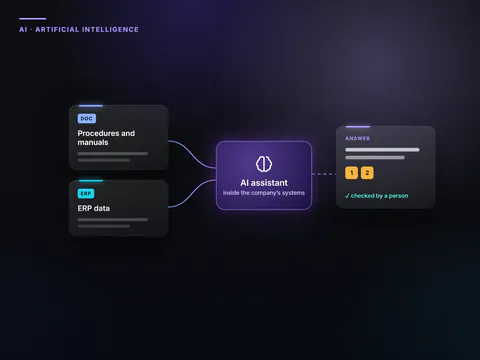 Find out moreArtificial intelligence for businessesArtificial intelligence built into the systems your company already uses. We choose the right processes, connect the data, and settle security and rules first.