
Strategic Labs · WordPress plugin
Autochatter: the AI chatbot for WordPress that knows your website
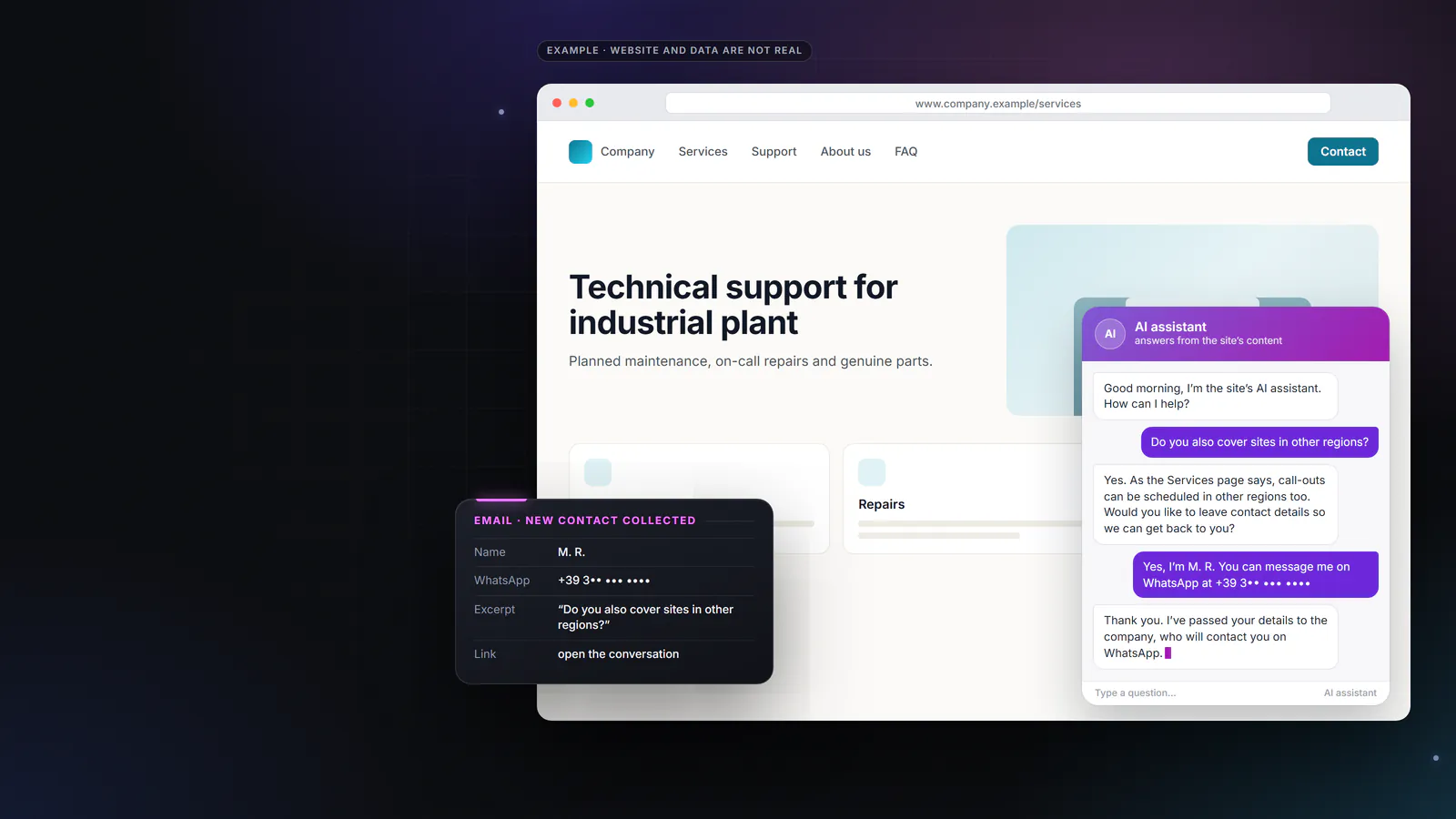
A visitor has a specific question and cannot find the answer on your pages. Often, they leave. Autochatter answers in a chat using your website’s content, collects the details of anyone who wants to be contacted and alerts your company by email. Setup is guided by a wizard that reads your website and suggests the instructions.
- Based on your website’s content
- main pages and frequently asked questions
- Contact details collected
- email, phone, WhatsApp or Telegram
- It introduces itself as AI
- visitors know an assistant is answering
Illustration of the interface, sample data
01 · copy the link to this sectionThe situation
Your website gets visits. The questions go unanswered.
A company website is open at any hour, but it can only answer with what is written on it. Anyone looking for a specific piece of information, such as opening hours, a service, an area covered or the documents to prepare, has to find it on their own among the pages. If they don’t find it, they don’t always fill in the contact form. Often they go back to the search results and choose another website.
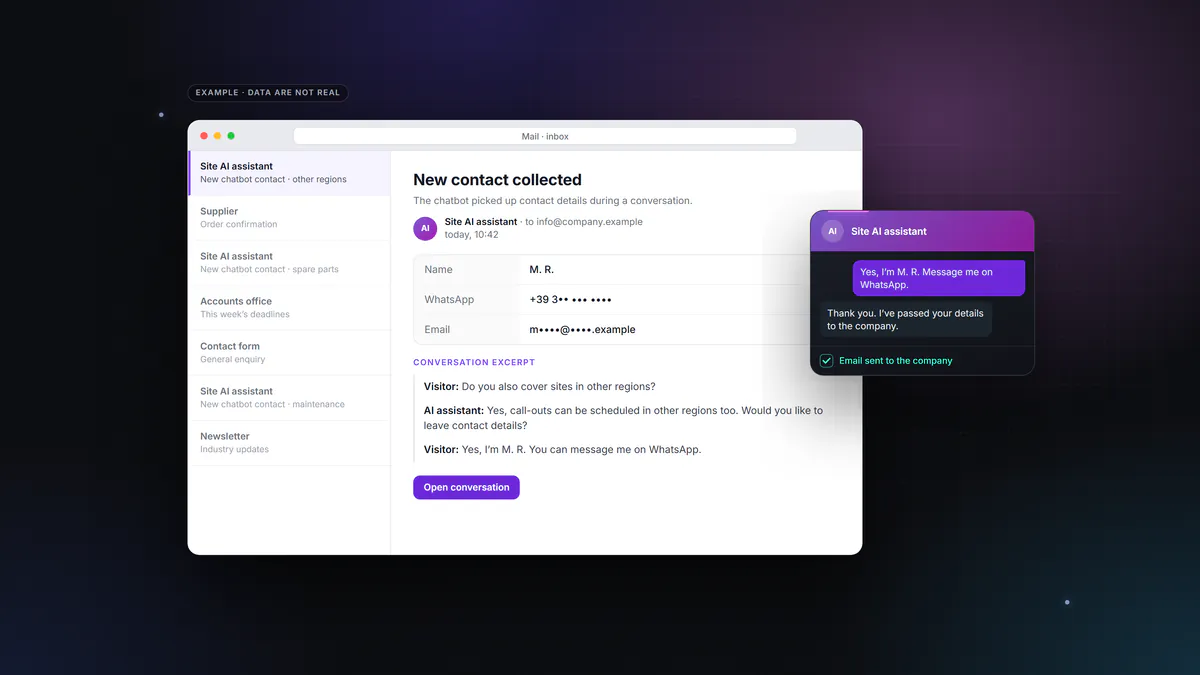
Autochatter adds a chat to your website that answers using the site’s own content. Visitors who need a person type their contact details in the chat. Your company then receives an email with those details and an excerpt of the conversation they came from.
You can see the difference in your inbox. Instead of a form with two lines, you get an enquiry with the context already written.
02 · copy the link to this sectionSetup
How to set it up
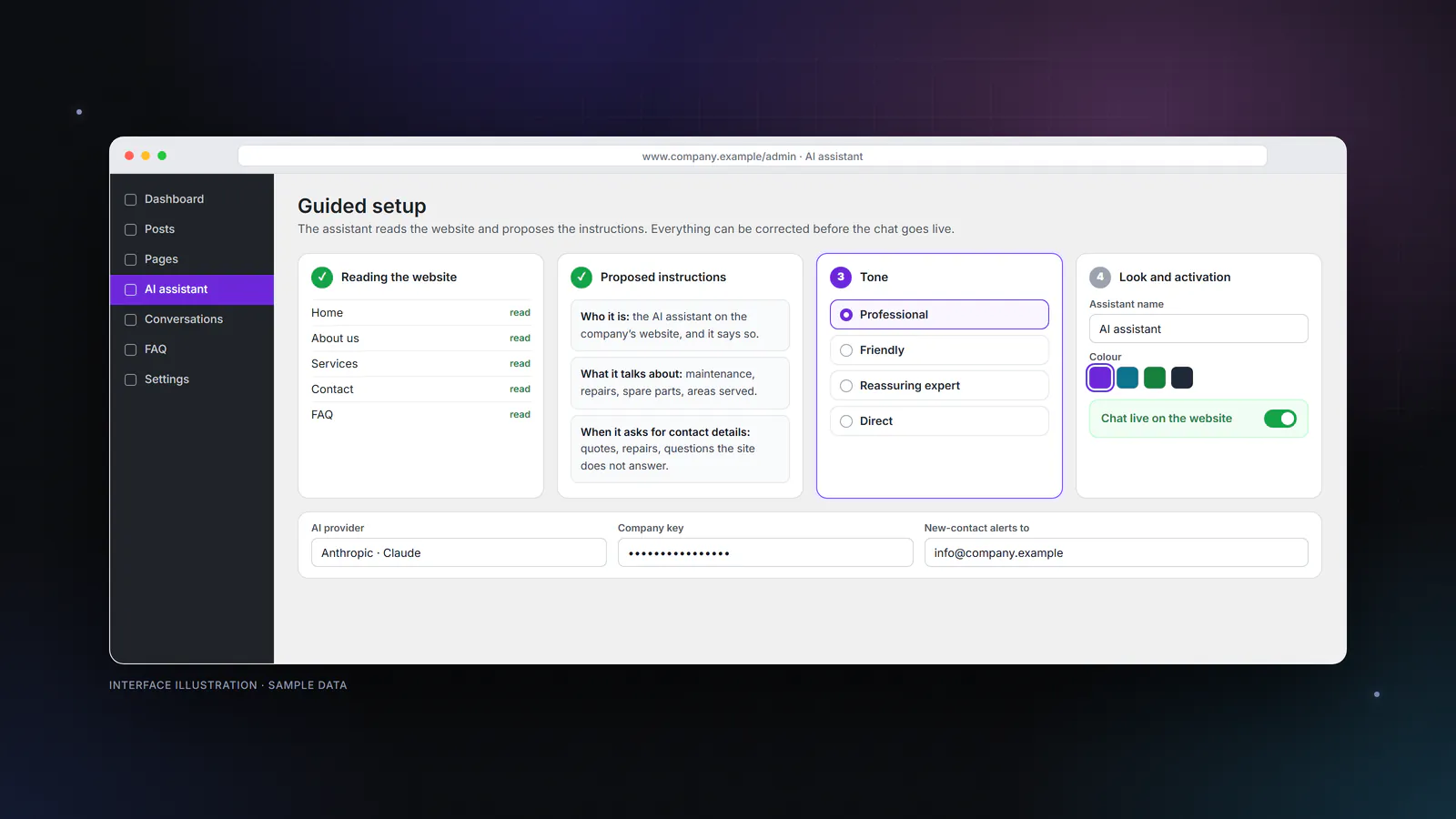
The wizard does the tedious part. It reads your website and writes a first draft of the instructions, which you then review.
It reads the website
It visits the main pages, such as home, about us, services, contact and frequently asked questions, and extracts the information it needs to answer.
It suggests the instructions
It writes down what the assistant needs to know and how it should answer. You review, correct and complete them.
You choose the tone
Choose from professional, friendly, reassuring expert or direct. Then you set the colours, the assistant’s name and the welcome message, to match the look of your website.
You switch it on
The chat appears on your website. You add frequently asked questions with approved answers whenever you need them.
03 · copy the link to this sectionFeatures
What it actually does
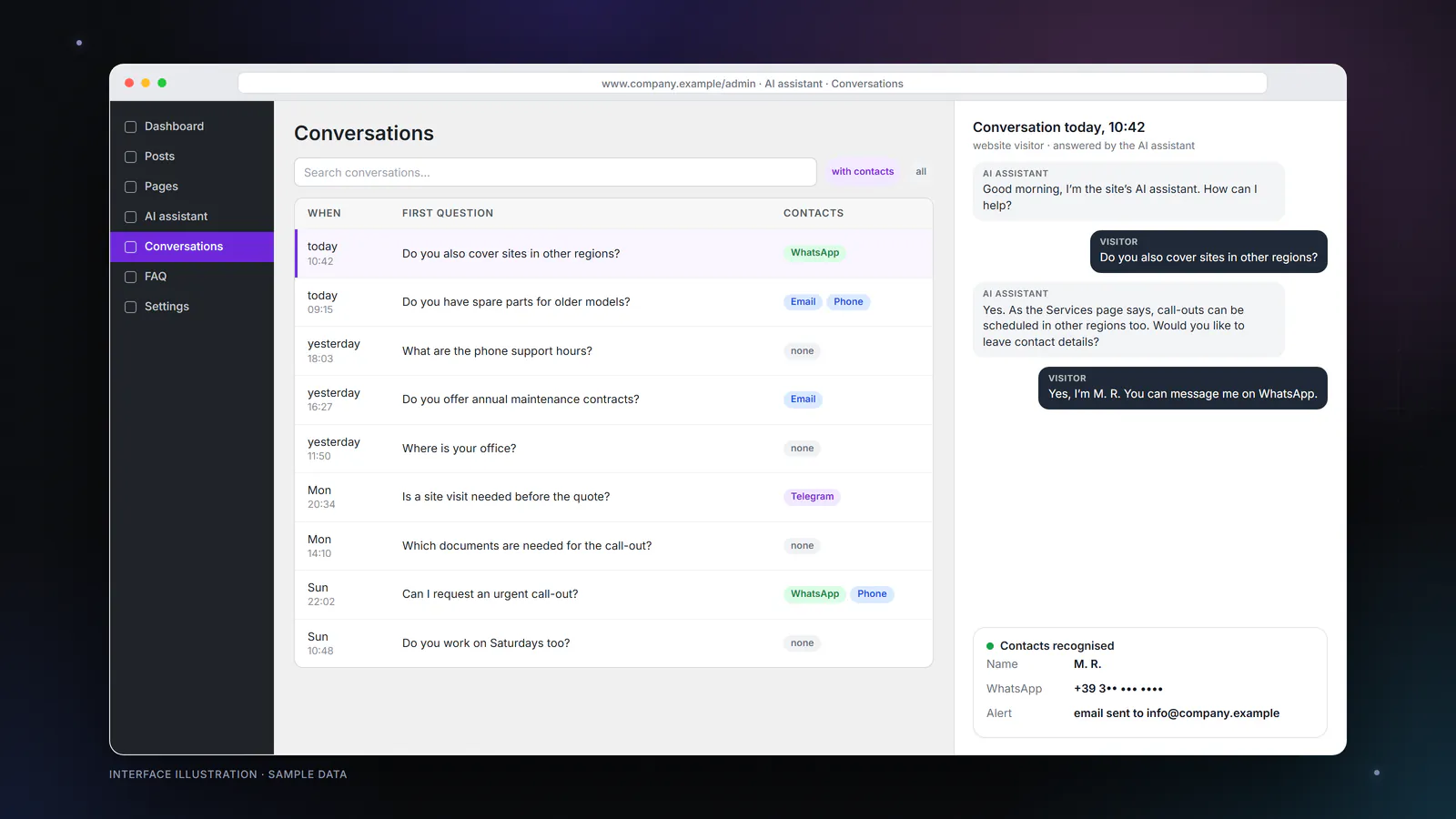
You choose the AI model. It works with models from Anthropic (Claude) or OpenAI (GPT), using an API key in your company’s name. Switching provider does not mean redoing the setup.
04 · copy the link to this sectionTwo ways
Two ways to use it
The same plugin, two ways of keeping it running. What changes is who looks after it.
Self-managed
The plugin is installed on your WordPress site and connected with the API key of the AI provider your company chooses. Requests go from the website straight to the provider, without passing through our servers. Your company pays the provider for its AI usage, based on consumption. This suits companies that already have someone looking after the website. Request the pluginManaged by us
We take care of installation, instructions written from your website’s content, frequently asked questions, tone, updates and a periodic review of the answers. Your company does not have to deal with keys or configuration. Terms on request. Request managed activation05 · copy the link to this sectionTransparency
Transparency and data
The chat introduces itself as your company’s AI assistant. Visitors know they are not talking to a person, and they can leave their details to be contacted. Since 2 August 2026, the EU AI Act has required systems intended to interact with people to make this clear, unless it is obvious (Regulation (EU) 2024/1689, Article 50(1)).
Conversations stay on your website. They are saved in your WordPress site’s database, not in an external archive.
The key stays with your company. In self-managed mode, the AI provider account is in your company’s name, and your company controls how it is used.
The text of each question goes to the AI provider you have chosen, so that it can build the answer. This must be stated in your website’s privacy notice, together with the contact details the chat collects.
This box is for information only and is not legal advice. Sources consulted on 16 September 2026: Regulation (EU) 2024/1689, EUR-Lex · European Commission, FAQs on Article 50, 24 July 2026
06 · copy the link to this sectionFinding your way
Website, WhatsApp or executives: which tool
| Where people look for you | The tool | In short |
|---|---|---|
| On your WordPress website | Autochatter | chat based on the website’s content, collection of contact details |
| On WhatsApp | Kristina Reply | replies to whoever writes, never writes first |
| In your executives’ email and calendar | DIREKTA | personal assistant for executives, on WhatsApp |
Autochatter and the Company Brain. Autochatter answers with the public content of your website. When the answers also need to draw on internal documents approved for external use, such as technical data sheets, terms of supply or support instructions, the work becomes a Company Brain project, which builds the company’s own searchable memory. Company Brain
07 · copy the link to this sectionFrequently asked questions
Frequently asked questions
How much does it cost?
What do we need to install it?
How is it different from Kristina Reply?
Does it also answer questions about things that aren’t on the website?
Where do the conversations end up?
Who updates the plugin?
Can we try it first?
08 · copy the link to this sectionContact
An assistant on your website, with your content
The contact form opens with Autochatter already selected. Tell us your website address and whether you would rather manage it yourselves or leave it to us. We reply within two working days.
Please do not put passwords or access keys in the form.
Or write to us:WhatsAppstaff@strategic.sm
On WhatsApp, messages are answered by Strategic’s AI assistant.