Upgrading your Oracle database: the decisions and timetable for management
Moving to the new Oracle release is a management project before it is a technical one: inventory, budget, ERP vendors, acceptance criteria, the downtime window and who gives the go-ahead on the night of the switch.
Upgrading the Oracle database that runs your ERP system is a management decision before it is a technical job. It affects the budget for two or three financial years, the contracts with the ERP vendor, licences, the windows in which the company accepts downtime and the responsibility for saying “go ahead” on the night of the switch. For users of 19c, today the most widespread release, Premier Support runs until the end of 2029, and the new long-term release is 26ai. There is time, but the slow parts of the project do not depend on the database. If management settles the inventory, timetable and criteria now, the downtime is concentrated in a short window chosen by the company.
How much time is left?
The dates in Oracle’s support policy, release by release, are summarised in the Observatory’s analysis of Oracle databases out of support, along with the risks for anyone left without patches. Three points matter for planning. 19c has Premier Support until December 2029, followed by paid Extended Support. 21c loses Premier Support as early as July 2027, with no extension. And for 19c, from 1 May 2027, support no longer covers third-party software tied to Java 8 on some platforms, such as AIX, HP-UX, Solaris and Windows.
Why decide now and not in 2029?
Because the slow parts of the project do not depend on the database. The ERP vendor has to declare compatibility with the new release. Servers and the operating system may need replacing. Testing involves users, who have their own deadlines. And the budget follows the annual cycle.
Putting it off concentrates everything close to the deadline, when application vendors and specialists also have less availability. It also turns Extended Support, which comes at a cost, from a bridge you chose into the only road left.
What changes with the new release?
The main change concerns the architecture. From 21c onwards, Oracle no longer supports the traditional architecture, known as non-CDB. 26ai works only with the multitenant architecture, in which a container database (CDB) hosts one or more pluggable databases (PDBs). If you run 19c in the traditional form today, you have to convert it during the upgrade.
The consequences you need to know in advance:
- Licences. According to Oracle’s documentation, after the conversion you can use up to three PDBs per container without the Multitenant licence. From the fourth onwards, you need it.
- No automatic way back. The documentation warns that once the conversion has been started with the AutoUpgrade tool, there is no return to the previous state. A full backup and thorough testing are needed first.
- Upgrade paths. A direct upgrade to 26ai is supported only from 19c and 21c. From older releases, such as 11g, 12c or 18c, you first go through an intermediate release.
- New features. 26ai brings tools designed for artificial intelligence into the database, such as vector search, which are useful when AI assistants are connected to company data. Their licensing conditions need checking before you use them. How to design these connections securely is the subject of our AI agents and integrations page.
How do you reduce downtime?
The downtime users notice is that of the final switch, the cutover. It is the moment when applications move to the upgraded database. How long it lasts depends on the size of the database, the technique chosen and how much has been tested beforehand. There are four main routes.
| Technique | How it works | What it requires |
|---|---|---|
| In-place upgrade | The database is upgraded in the agreed window | A dress rehearsal on a copy to measure the timings |
| Upgrade to a new environment | The new server is prepared, a copy is kept in sync and then you switch | New servers or cloud, data kept in sync until the switch |
| Rolling upgrade with Data Guard | The standby copy is upgraded first, then the roles are swapped | In Enterprise Edition, the automated procedure requires the paid Active Data Guard option |
| Replication with GoldenGate | The new database stays in sync until the switch | GoldenGate is a separately licensed product |
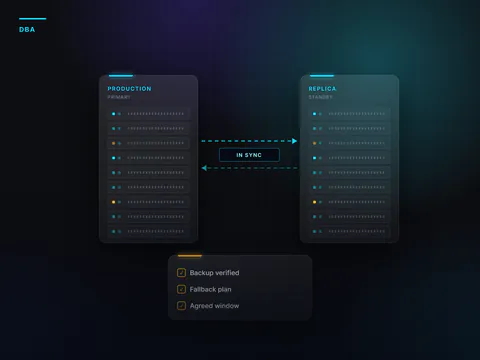
The same rule applies to all of them. The fallback plan is written and tested in advance. You decide beforehand the point beyond which there is no turning back, and who has the authority to say “go ahead” or “postpone”. Continuous replication is covered in more depth in the article on switching over with continuous replication and cutover.
What does management decide?
- Inventory and priorities: which databases, with which applications, in what order of importance.
- Timetable: downtime windows in quieter periods, away from accounting closes and sales peaks.
- Budget: working hours, testing, any new servers and operating system, extra licences, and Extended Support as a possible bridge.
- Application vendors: compatibility dates with 26ai, in writing.
- Acceptance criteria: which operations must work before the switch is considered successful, decided by the people who use the systems every day.
- Who gives the go-ahead: the person who confirms or postpones on the night of the switch.
- Communication: who tells users, customers and suppliers about the downtime window.
A typical scenario. A manufacturer runs its ERP system on 19c in the traditional architecture, with one database for production and one for reporting. In 2026 it takes an inventory and asks the ERP vendor for a compatibility date. In 2027 it upgrades a test copy and uses it for a full month-end close. The production switch takes place during the plant’s summer shutdown, after a timed dress rehearsal and with the fallback plan ready.
In brief
- Upgrading the database is a management decision covering budget, vendors, licences, windows and the go-ahead.
- The slow parts of the project do not depend on the database. That is why the decision is taken years before support ends.
- 26ai, a long-term release, has Premier Support until December 2031 and works only with the multitenant architecture.
- The conversion from non-CDB cannot be undone once started. A full backup and testing are essential.
- Downtime is reduced with a dress rehearsal and, where needed, with techniques that may require extra licences.
- Timetable, budget, vendors, acceptance criteria and the go-ahead are management decisions.
Frequently asked questions
How do you estimate the budget before you have a quote?
Start from the inventory: the number of databases, their size, connected applications, servers to replace and licensed options already in use. With this data you set a ballpark figure for the financial year of the testing and another for the year of the switch, to be confirmed after the dress rehearsal on a copy. The cost of any Extended Support goes alongside, as an alternative to compare.
Does moving to 26ai require new licences?
With an active support contract, Oracle’s policy includes the right to new major releases. You do, however, need to check the options you already use or plan to use, for example the Multitenant licence beyond three PDBs, Active Data Guard or GoldenGate.
How long does the downtime last?
It depends on the size of the database, the technique chosen and the testing carried out. The only reliable way to find out is a timed dress rehearsal on a copy, before setting the window.
What if the ERP system is not yet compatible with 26ai?
Prepare everything else: the inventory, the planned conversion and the tests on a copy. Meanwhile, ask the vendor for a written date and assess in good time whether Extended Support is needed as a bridge.
Inventory, dress rehearsals, timetable and a switch with a fallback plan are the work that our Oracle & Database Engineering division carries out for release upgrades and migrations. We work as an outsourced service or alongside your in-house team, with planned downtime kept to a minimum.
Sources
Consulted on 16 September 2026.
- Oracle, Oracle Lifetime Support Policy – Oracle Technology Products, effective 11 September 2026
- Oracle Database Insider, GA of Oracle AI Database 26ai for Linux x86-64 on-premises platforms, 27 January 2026
- Oracle, Database Upgrade Guide 26ai – Oracle Database Releases That Support Direct Upgrade
- Oracle, Database Upgrade Guide 19c – Understanding Non-CDB to PDB Upgrades with AutoUpgrade
- Oracle, Database Licensing Information User Manual 26ai
- Oracle, Critical Patch Updates, Security Alerts and Bulletins
 Find out moreOracle & Database EngineeringOracle database administration, outsourced or alongside your in-house team. Performance, tested backups, version upgrades and migrations.