Antivirus is dead, long live antivirus: what a business needs today
Antivirus has been declared dead since 2014, yet it is still there. What it stops, what it cannot see, when you need detection and response tools, and why they fall short without someone to read the alerts.
No, antivirus is not dead. It is still the first barrier against known malware, and it should be kept switched on, up to date and protected from tampering on every computer and server. On its own, though, it cannot see attacks that use no malware at all. These are logins with stolen credentials and tools already present on the system, used just as an administrator would use them. Stopping them takes endpoint detection and response tools (EDR), reduced privileges and timely updates. Above all, it takes people who read the alerts and have the authority to act.
The funeral announced in 2014
In May 2014 an executive at Symantec, then one of the largest antivirus vendors, told the Wall Street Journal that antivirus was “dead”. He added that traditional software was by then catching around 45 per cent of attacks. The line travelled around the world. Twelve years later, antivirus is still in place on company computers, and Windows ships with one built in.
Everyone was right. Those who declared it dead were right, and so were those who kept installing it. What died was an idea, the idea that antivirus was enough.
Is antivirus really dead?
It has changed. The first products recognised malware by its “fingerprint”, a signature checked against a list. Today’s products also watch how programs behave. They query cloud services about the reputation of files, and they use statistical models that vendors present as artificial intelligence.
What has not changed is its role. NIST, the US standards body, organises defence into six functions in version 2.0 of its Cybersecurity Framework (February 2024). They are Govern, Identify, Protect, Detect, Respond and Recover. Antivirus works mainly in the third. A company that relies on it alone leaves almost all the others uncovered.
What does antivirus still stop?
More than people think, as long as it is kept in good order. It stops:
- attachments and downloads carrying known malware, or malware similar to known families
- files that arrive on USB sticks or from compromised websites
- documents with malicious macros
- mass attacks, built to hit anyone rather than one particular company.
There are four conditions. It must be switched on and up to date. It must be managed from a console that shows which machines are really protected. And it must be protected from tampering. The last condition is the most neglected. Microsoft’s product documentation points out that during an attack, intruders often try to disable security features. Tamper protection stops anyone from switching off real-time protection or adding exclusions without authorisation.
What does it miss?
- Logins with genuine credentials. Someone who gets in with a stolen password installs nothing suspicious, as our piece on the digital decorator shows.
- The system’s own tools turned against it. The technique is called living off the land. It relies on PowerShell, remote administration programs and Windows utilities. Guidance published in February 2024 by CISA, the US cybersecurity agency, together with agencies from several allied countries, explains that this activity blends in with the legitimate work of administrators. It adds that many organisations lack the tools to tell the two apart.
- Vulnerabilities in internet-facing services. In the 2025 report of ENISA, the European Union Agency for Cybersecurity, the exploitation of vulnerabilities accounts for 21.3 per cent of initial access vectors. Antivirus does not patch a VPN that has fallen behind on updates.
- Defences being switched off. The MITRE ATT&CK catalogue, the international reference for attack techniques, has an entry on disabling or modifying security tools. Before encrypting anything, many attacks try to switch off the antivirus itself.
A typical scenario. An attacker logs in to the VPN with stolen credentials. They map the network with system tools and create a new administrator account. They copy data out of the company. They try to disable the defences. Ransomware comes last. At best, the antivirus sees only that final step.
EDR, XDR, MDR: what is the difference?
| Acronym | What it is | What it requires |
|---|---|---|
| EDR (endpoint detection and response) | Software on computers and servers that records processes, connections and changes. It flags suspicious behaviour, lets you isolate a machine and helps you reconstruct the sequence of events | A configured console and someone who reads it |
| XDR (extended detection and response) | Extends correlation to email, identities, the network and cloud services, so that an attack can be read as a single story | Integrated systems and rules tuned to the company |
| MDR (managed detection and response) | A service. External analysts read the alerts and step in according to agreed rules | A contract that states who decides, what the provider may do and how quickly |
Many EDR products also include traditional antivirus protection. What matters is that the functions are there and switched on, not how many acronyms appear on the box.
Who reads the alerts when the office is closed?
An EDR that nobody watches is an alarm ringing in an empty house. And attackers like to choose the hours when nobody is watching. There are three possible approaches:
- an in-house team with an on-call rota
- an external detection and response provider
- a mixed arrangement, in which the provider filters the alerts and in-house IT decides.
Whatever the choice, three things must be written down in advance. The first is who can isolate a machine without asking anyone’s permission. The second is who alerts management, and through which channel. The third is how soon the first response must arrive under the contract. Then everything is tested in an exercise, because a plan that has never been tested is just a document.
What should you ask a product that promises artificial intelligence?
Almost every security product claims to use AI. The useful question is not whether it does, but what changes for the company:
- what it detects that your current tool does not, demonstrated in a test on your own systems
- how many false alarms it produces, and who deals with them
- where the data collected from your computers ends up, and who can read it
- which actions it takes on its own, and who can reverse them
- what happens to the data if the contract ends.
When the choice matters, a second opinion on an AI project or vendor helps separate real capabilities from promises.
Where do you start?
- An inventory of every device, servers included. You cannot protect what you do not know you have.
- Antivirus switched on and up to date everywhere, managed from a console, with tamper protection enabled.
- No administrator rights for everyday work.
- Timely updates, starting with the VPN, email and internet-facing services.
- A second factor for remote access and privileged accounts.
- EDR at least on servers and the most exposed computers, with logs kept long enough to reconstruct an attack.
- Isolated, tested copies, as in grandad’s three-drawer backup.
- A written plan for the first hours, with one person who has the authority to activate it.
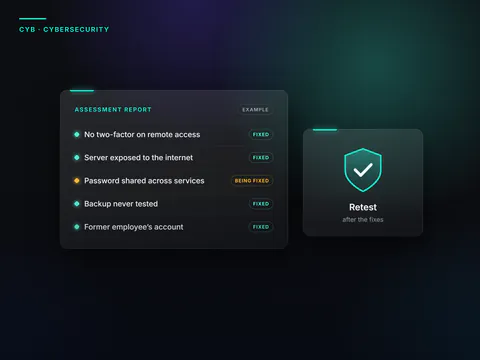
- An external check that tests whether the defences really see a simulated attack.
In brief
- Antivirus is not dead. It stops known malware and mass attacks, provided it is switched on, up to date, managed and protected from tampering.
- It does not see logins with genuine credentials or the malicious use of system tools.
- EDR records and correlates what happens on the machines. XDR widens the view. MDR is a service delivered by people.
- Without someone who reads the alerts and can act, no tool is enough.
- When a product promises artificial intelligence, what counts is what it proves on the company’s own systems.
Frequently asked questions
Is Microsoft Defender, which comes with Windows, enough?
As antivirus, it is a solid foundation for many companies, provided it is switched on, up to date and centrally managed. Detection and response, central management and incident investigation, however, depend on the products and licences you have bought. Check them in the contract rather than taking them for granted.
Does an EDR replace antivirus?
It often includes it, because many EDR products also provide traditional protection. What matters is that both functions are active and that two different products do not get in each other’s way on the same machine.
Do servers need EDR too?
Yes, and often before anything else. Domain controllers, file servers and databases are the final target of many attacks. On servers running critical applications, such as the databases looked after by our Oracle & Database Engineering division, exclusions and rules are agreed with the people who run them and tested before they go into production.
Which matters more, updates or antivirus?
You need both, because they stop different attacks. According to ENISA, the exploitation of vulnerabilities accounts for more than a fifth of the initial access vectors in the incidents analysed between 2024 and 2025. No antivirus fixes an exposed service that has not been updated.
Understanding what a company’s defences really see, testing it with a penetration test and preparing the first hours through incident management is the work of the Cybersecurity division. Antivirus stays where it is, but it no longer works alone.
Sources
Consulted on 16 September 2026.
- The Register, article of 6 May 2014 on Symantec’s statement to the Wall Street Journal
- NIST, The NIST Cybersecurity Framework (CSF) 2.0, 26 February 2024
- CISA and partner agencies, Identifying and Mitigating Living Off the Land Techniques, 7 February 2024
- MITRE ATT&CK, Impair Defenses: Disable or Modify Tools (T1562.001)
- Microsoft Learn, Tamper protection overview
- ENISA, Threat Landscape 2025, October 2025
 Find out moreCybersecurityTesting carried out the way an attacker would (penetration tests), incident management, business continuity and support in meeting NIS2 requirements, suppliers included.